The Generative AI performance report in Google Search Console shows how often links to your site appear in AI Overviews and AI Mode on Google Search, with breakdowns by page, country, device and date. It is the first official way to measure your visibility inside Google’s AI answers – but it reports impressions, not clicks, so you need to read it together with the standard Performance report.
Google introduced it in 2026 and rolled it out gradually. If you run a niche site, a blog or a small online shop, this guide explains where to find it, what each number means, its limits, and a simple routine to turn the data into content decisions.
What is the Generative AI performance report?
According to Google’s announcement Introducing Search Generative AI performance reports in Search Console, the reports are dedicated views of impressions in Google’s generative AI features. There are two of them:
- Search – impressions in AI Overviews and AI Mode (Search Console Help).
- Discover – impressions in Discover’s generative AI features (Search Console Help).
Google defines an impression here as the number of times a link to your site was shown to a user in a generative AI feature. In Discover, the link must be scrolled into view, and only one impression is counted per result per session.
Where to find the report in Search Console
- Open Google Search Console and select your property.
- In the left menu, open the Performance section.
- Choose the Generative AI report for Search or for Discover.
- Set the date range and switch between the Pages, Countries, Devices and Dates tabs.
If you do not see the report, Google’s help page lists two common reasons: the site does not yet receive enough impressions in generative AI features, or the site has been excluded from these features through the Search generative AI control, in which case it is not eligible to appear in them at all.
Generative AI performance report vs the standard Performance report
| Question | AI report | Standard Performance report |
|---|---|---|
| What does it measure? | Impressions in AI Overviews and AI Mode (and Discover AI features) | Clicks, impressions, CTR and position in Google Search |
| Can I see clicks from AI features? | No – impressions only | Yes, but mixed into the overall Web search totals |
| Breakdowns | Pages, countries, devices, dates | Queries, pages, countries, devices, search appearance, dates |
| Best used for | Seeing which pages Google uses in AI answers | Measuring traffic and rankings |
The practical consequence: the AI report tells you where you are visible, the standard report tells you whether that visibility brings visitors.
How to read the Generative AI performance report step by step
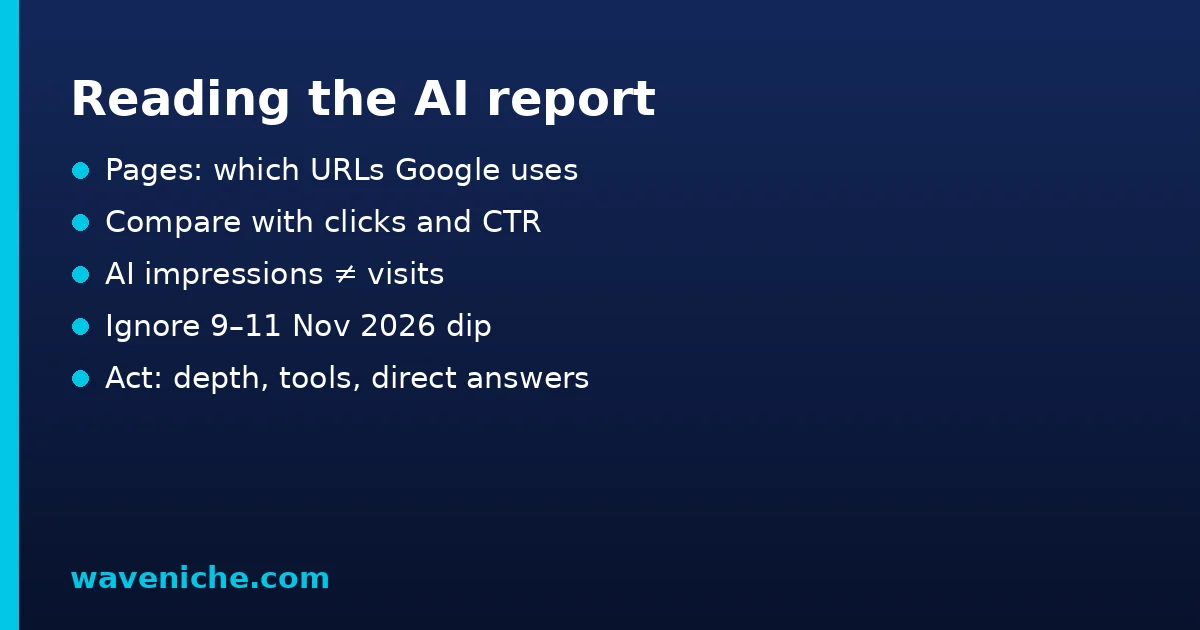
- Start with the Pages tab. List the pages with the most AI impressions. These are the pages Google trusts enough to use as sources.
- Compare with the standard report. For the same pages, check clicks and CTR in the regular Performance report over the same dates.
- Look for gaps. A page with many AI impressions but falling clicks may be fully answered by the AI summary. A page with good rankings but no AI impressions may need a clearer, more direct answer.
- Check countries and devices. AI features are not shown equally everywhere. If most AI impressions come from one market, prioritise content for that audience.
- Watch the Dates tab after updates. After a content refresh or a Google update, a change in AI impressions shows whether your pages are used more or less as sources.
Known limits and data quirks
Like every new Search Console feature, the report has gaps you should know before you build decisions on it.
- No clicks in the AI report. Clicks from AI features are counted only inside the overall Search totals.
- Totals can differ. Google notes that chart and table totals may not match because of differences in aggregation by property and by page.
- Logging issues happen. Search Console’s data anomalies page lists a logging error that reduced impressions in the Generative AI report for data from 9–11 November 2026. Do not draw conclusions from a dip on those days.
- Small sites may see nothing. If your site receives few AI impressions, the report may not appear yet.
A weekly routine for niche site owners
At Wave Niche we prefer simple routines that take less than 30 minutes a week. This one works with the AI report:
| Day | Task | Goal |
|---|---|---|
| Monday | Export top pages by AI impressions | Know which pages Google uses in AI answers |
| Monday | Export clicks and CTR for the same pages | See whether visibility turns into visits |
| Wednesday | Improve one page with AI impressions but low CTR | Add tools, examples or data a summary cannot give |
| Friday | Add a direct answer to one ranking page without AI impressions | Make it easier to use as a source |
For the content side of this work, read our guide AI Overviews SEO: how to get your site cited by Google.
Which pages tend to collect AI impressions
Every site is different, but the pages that show up in AI answers usually share a few traits. They answer one clear question near the top, use descriptive headings, and contain structured elements such as steps, tables and definitions. Long, unfocused articles that mix several topics are harder to use as a source, even when they rank.
When you review your own data, group the pages with AI impressions by type – how-to guides, definitions, comparisons, news – and look for a pattern. If most of your AI visibility comes from definitions, that is a sign Google sees your site as a reference in that topic. If it comes from how-to guides, invest in more detailed tutorials, because those still bring clicks.
AI impressions and ad revenue
For sites monetised with AdSense or other display ads, impressions in AI answers do not earn anything by themselves – revenue comes only from visitors who land on the page. That is why the most useful view combines both reports:
- High AI impressions, high clicks – your best pages. Keep them updated and add internal links from them to related articles.
- High AI impressions, low clicks – the summary is enough for users. Add something worth the click: a calculator, a checklist, a downloadable template or real examples.
- Low AI impressions, high clicks – classic SEO is working. Add a short, direct answer at the top to also become a source.
- Low on both – review the topic and search demand before you spend more time on the page.
For more ideas on turning traffic into income, see our guide on monetizing a blog.
Common problems and fixes
| Problem | Likely cause | Fix |
|---|---|---|
| The report is missing | Too few AI impressions, or the site is excluded via the generative AI control | Check the control setting; keep improving content |
| AI impressions up, clicks down | The AI answer covers the question fully | Offer depth: templates, comparisons, first-hand testing |
| Sudden drop on 9–11 Nov 2026 | Logged data anomaly | Ignore those dates in comparisons |
| Numbers do not add up | Property vs page aggregation | Compare like with like – page totals with page totals |
Should you opt out of AI features?
Google also offers a Search generative AI control in Search Console (Search Console Help). If you exclude your site, it will not appear in these features and will not receive traffic or impressions from them. For most niche sites this is a trade-off: AI answers can reduce clicks for simple questions, but they also expose your brand to people who would never have seen your page. Before deciding, collect at least a few weeks of data from the AI report and compare it with your clicks.
Generative AI performance report: what it means for content strategy
This data confirms a shift many site owners already feel: visibility and traffic are no longer the same thing. Pages that answer simple facts may become sources without sending visitors. Pages that solve problems in depth still earn clicks. A healthy niche site needs both – and our SEO guide for beginners covers the basics that still decide whether a page is found at all.
Frequently asked questions
Does the Generative AI performance report show clicks?
No. It shows impressions in AI Overviews, AI Mode and Discover AI features. Clicks from these features are included only in the overall Search totals of the standard Performance report.
Why can’t I see the Generative AI performance report?
Your site may not yet receive enough impressions in generative AI features, or it may be excluded from them through the Search generative AI control.
What counts as an impression in AI Overviews?
Google counts how many times a link to your site was shown to a user in a generative AI feature on Google Search.
Is there a separate report for Discover?
Yes. A separate Generative AI performance report covers Discover’s generative AI features, where the link must be scrolled into view to count.
Why did my AI impressions drop on 9–11 November 2026?
Search Console lists a logging error that decreased impressions in the Generative AI report for data from those dates.